Create Life Long Clients
ProfitFlo will help you build long lasting client relationships on autopilot!

Create Life Long Clients
ProfitFlo will help you build long lasting client relationships on autopilot!
LATEST NEWS
"Smarter, Cleaner Smart List Management"
“Manage smarter with less friction and more clarity”
- Paul Duncan
🧠 A New Smart List Experience in Contacts
Managing your contacts just got a major upgrade.
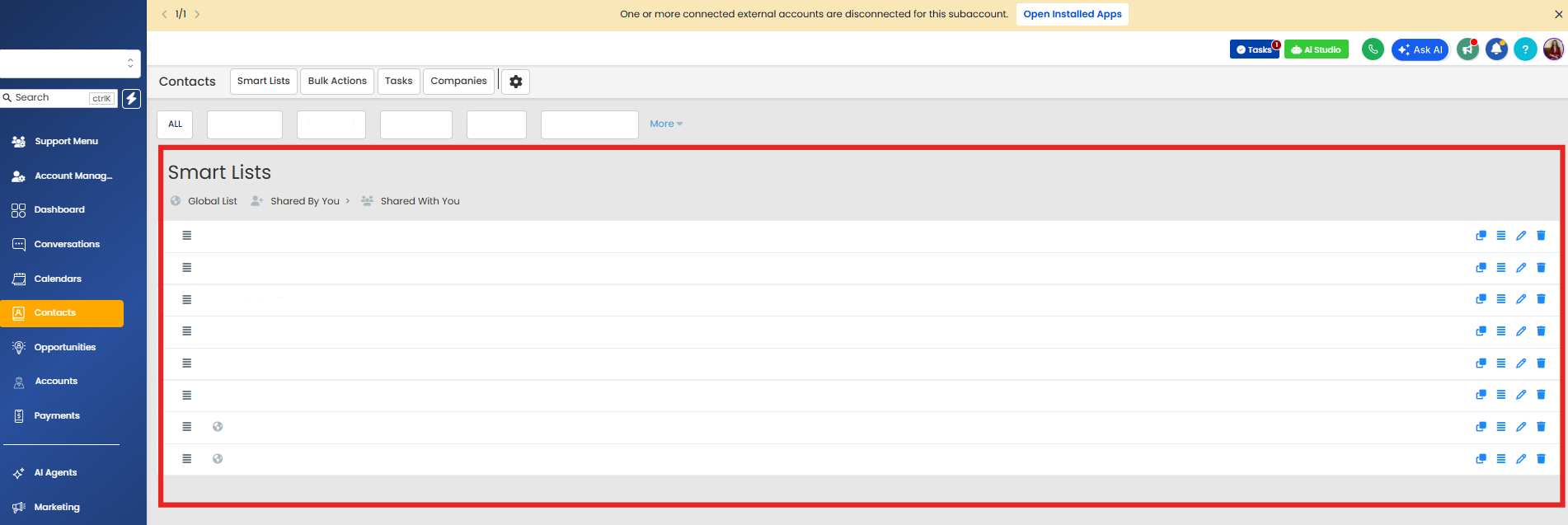
The Manage Smart List experience inside the Contacts module has been fully redesigned to match the modern HighRise design system, bringing a cleaner interface, better usability, and improved performance.
This update ensures that every part of your Contacts module now feels consistent, intuitive, and easier to use.
⭐ What’s New?
🎨 HighRise UI Migration
The Smart List management page has been completely rebuilt using the HighRise design system.
This means:
A cleaner and more modern interface
Better visual structure
A smoother overall experience
⚡ Improved Usability
Managing your Smart Lists is now faster and more intuitive.
With an improved layout and better interactions, you can:
View lists more clearly
Organize them with less effort
Navigate the page more efficiently
🔗 Upgraded Share Icon
The share functionality has been updated with a new, more consistent icon.
This small change improves:
Accessibility
Visual clarity
Alignment with the rest of the platform
🧩 Full Design Consistency
This update completes the transition of the Contacts module into the HighRise design system.
It was the last remaining page to be upgraded meaning now:
Every page in Contacts follows the same design language
The experience feels unified across the entire module
🛠 How to Access It
You can find the updated experience here:
Go to Contacts → Smart Lists
Click the three dots next to the “Add Contact” button
Select “Manage Smart List”
🎯 Why This Matters
🧠 Easier to Use
A cleaner interface reduces confusion and improves productivity.
⚡ Faster Workflow
Spend less time managing lists and more time using them.
🎨 Consistent Experience
Everything inside Contacts now feels unified and modern.
📈 Better Performance
Optimized design helps the page load and function more smoothly.
✅ Final Thoughts
The redesigned Smart List management experience is all about simplicity, clarity, and consistency. By aligning with the HighRise design system, it brings a more polished and efficient way to manage your contacts.
Cleaner design.
Better usability.
Smarter workflows.

Solutions
Streamline Sales
Generate More Leads
Build Your Brand
Impress Existing Customers
AutomButtonate Tasks
Company