Create Life Long Clients
ProfitFlo will help you build long lasting client relationships on autopilot!

Create Life Long Clients
ProfitFlo will help you build long lasting client relationships on autopilot!
LATEST NEWS
"Let Customers Enter Service Locations During Booking"
“Every gig booked with the exact venue, upfront.”
- Paul Duncan
🎧 Ask the Booker Location: Built for DJs on the Move
If you’re a DJ, you already know no two gigs happen in the same place. From weddings to school events, birthdays to corporate parties, every booking comes with a different venue location.
That’s why the new “Ask the Booker” location type is a game changer.
Now, instead of setting a fixed location, your clients can enter the exact venue location during the booking process. This keeps your workflow clean while making sure you always know where the gig is happening.
✅ What’s New?
With this update, DJs can now:
Create an “Ask the Booker” location for gigs
Let clients enter the venue location during booking
Automatically save that information with each booking
Keep the rest of the booking flow exactly the same
No extra steps. No confusion. Just better bookings.
🔐 How It Works
Here’s what happens during the booking process:
You enable the option to let clients enter their venue location
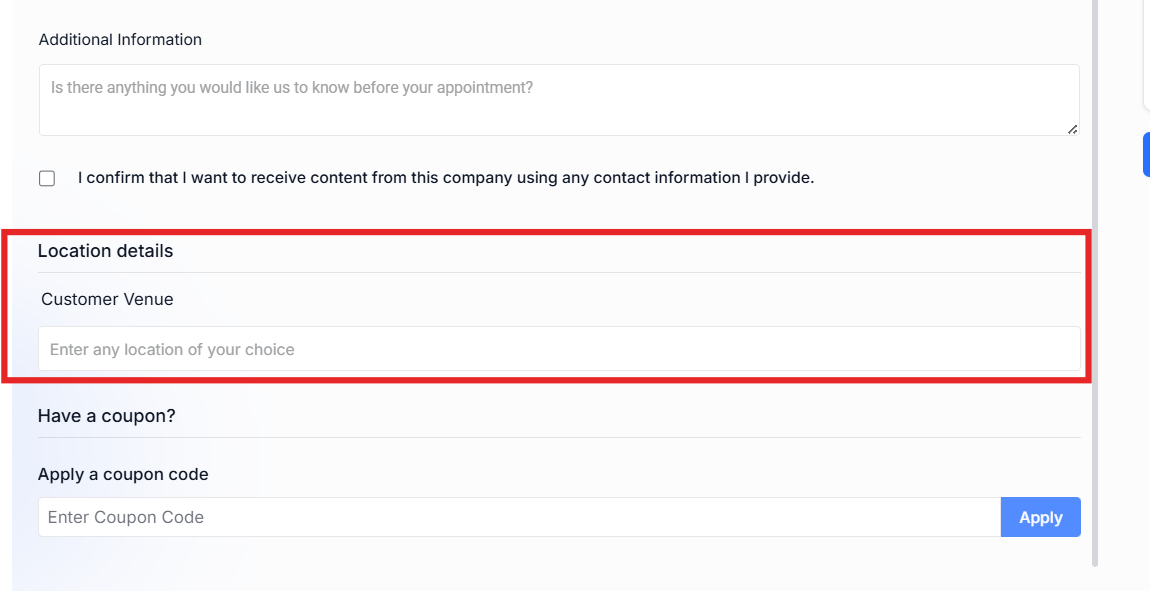
When someone books a gig, they’re prompted to enter where the event will take place
The venue location is saved directly with the booking
It’s included in your appointment details and notifications
Meanwhile:
Your availability stays the same
Your gig packages and pricing are unaffected
Your booking system continues running smoothly
🛠 How to Set It Up
Setting this up is quick:
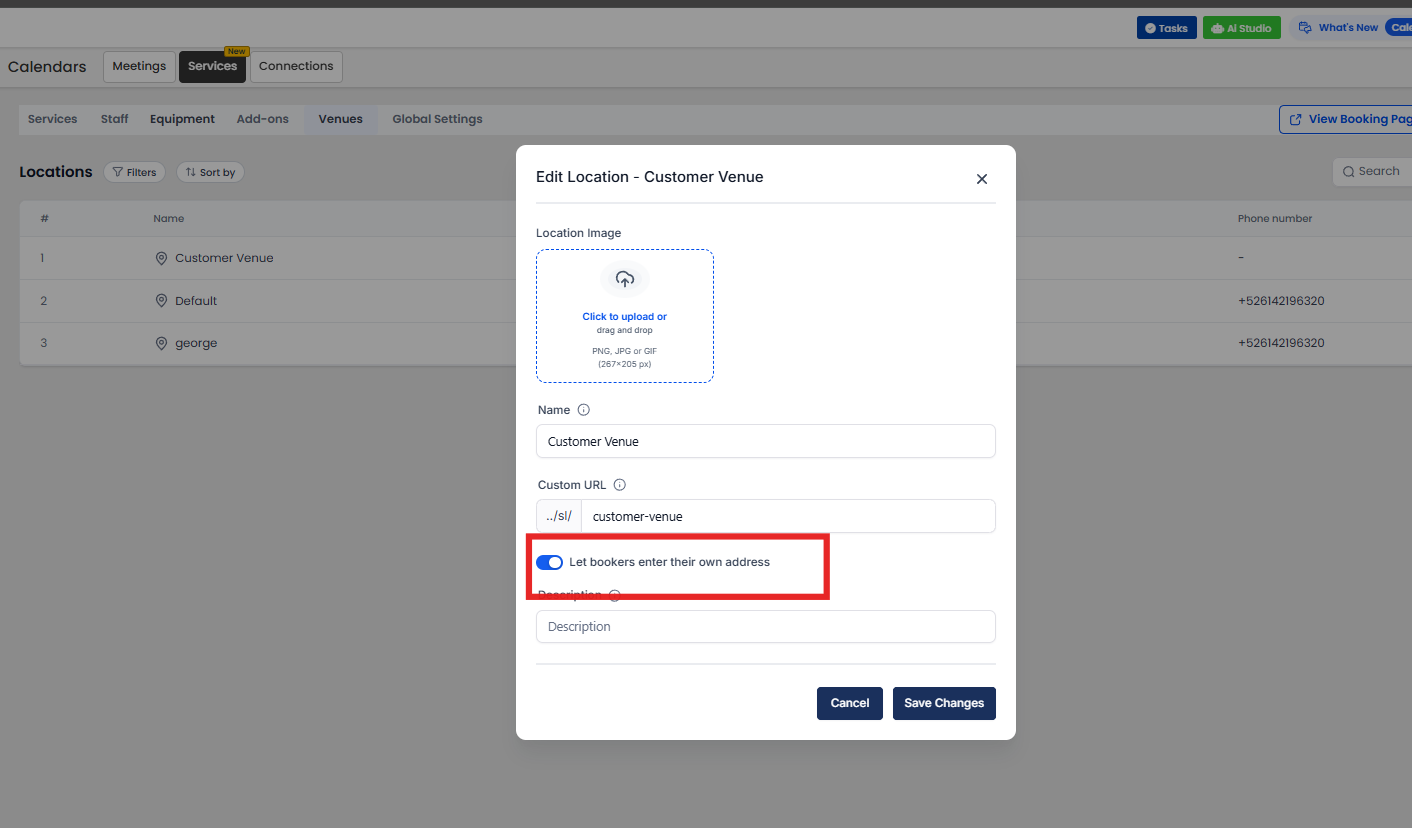
Go to Calendar Settings → Services → Locations
Create a new location or edit an existing one
Enable “Let bookers enter their own service address”
Customize your location name (e.g., “Client Venue”)
Assign it to your availability
Now, every time a client books a gig, they’ll be asked to enter the venue location.
🎯 Why This Matters for DJs
🎤 Built for Real-World Gigs
Every event has a different venue now your system reflects that.
📍 No More Chasing Addresses
Stop asking clients for location details after booking.
⚡ Smoother Booking Experience
Clients enter everything upfront in one simple flow.
🎧 Stay Organized
Each gig comes with its exact venue location saved automatically.
🧠 Real DJ Use Cases
Weddings at different venues every weekend
School dances across multiple locations
Private parties at homes or rented spaces
Corporate events in offices or event halls
No matter the gig, you’ll always know exactly where to go.

Solutions
Streamline Sales
Generate More Leads
Build Your Brand
Impress Existing Customers
AutomButtonate Tasks
Company